ERP for Manufacturing: How to Implement it for Your Systems?

Cheta Pandya
Modern manufacturing depends on accuracy, speed, and constant access to reliable data. But as production lines become increasingly automated and supply chains span across regions, trying to manage everything through siloed tools creates delays. That’s why so many manufacturers are now moving toward integrated ERP for manufacturing processes and systems.
ERP for manufacturing brings the essential parts of daily operations into one place planning, procurement, production, inventory, quality checks, maintenance routines, and even financials. When all of these functions work together, teams no longer have to rely on spreadsheets or wait for outdated reports. They get a clear, real-time view of what’s happening at every stage of production.
The momentum behind this shift is substantial. A 2025 PwC manufacturing outlook report found that 72% of industrial companies are increasing their investment in end-to-end digital operations platforms, with ERP modernization ranking among their top priorities.
This guide walks you through the modules and capabilities that matter most today, including MRP, inventory management, quality control, traceability, analytics, and MES integration. You will also see how modern ERP systems help teams streamline processes, cut overhead, improve product consistency, and support faster decision-making across every department.
What is Manufacturing ERP & How Does it Differ from General ERP?
Manufacturing Enterprise Resource Planning (ERP) is an integrated software solution that connects and manages all the core business processes. This includes production planning, inventory management, and supply chain management.
An ERP for manufacturing centralizes the operational data, providing a single source of truth. This improved the operational visibility, automation, and decision-making across the entire organization.
How Does ERP for Manufacturing Work?
A manufacturing ERP acts as the digital backbone of the plant. It coordinates:
- What to produce (MRP, forecasting)
- How to produce it (BOMs, routings, scheduling)
- Where materials are at all times (inventory, warehouses, traceability)
- How resources are used (machines, labor, OEE)
- How quality is controlled (QMS, inspections, CAPA)
- How suppliers and customers are managed (procurement, delivery dates, cost control)
Everything updates in real time so that every stakeholder from the shop floor to the executive office can make data-backed decisions without delays or guesswork.
This foundation helps manufacturers solve their biggest challenges: excess inventory, production bottlenecks, quality issues, long lead times, and compliance headaches.
So, if you are a manufacturing enterprise looking to manage operations efficiently, understanding the core differences between a specialized ERP solution and a general one is most important. It allows you to customize the ERP for manufacturing, ensuring alignment with your business goals.
What is the Difference Between General ERP and ERP for Manufacturing?
Here are some of the significant differences between general and manufacturing ERP software.
You know now what ERP for manufacturing is, but what does it offer? And what are its key capabilities?
What are the Key Modules & Capabilities Manufacturers Need in ERP Software?
Modern manufacturers rely on ERP for manufacturing to unify planning, production, inventory, quality, procurement, and analytics into a single system. Whether you’re running large operations or evaluating ERP software for small business manufacturing, the right modules help automate processes, eliminate manual errors, reduce costs, and improve efficiency across the plant.
Here is a detailed breakdown of the essential modules and capabilities every manufacturer needs.
1. Production Planning & Scheduling
This module is the core of manufacturing process automation, helping teams plan what to produce, when to make it, and how to allocate resources. So, if you are planning for Custom ERP Software Development for manufacturing operations, this module becomes critical. It focuses on optimizing operations, including inventory, procurement, and production planning.
You need to understand that it is successful.
Key capabilities include:
- Demand forecasting and MRP runs
- Capacity planning across machines and work centers
- Finite scheduling to avoid overload
- Gantt charts and drag-and-drop sequencing
- Automated work order creation
This ensures production runs smoothly, reduces lead times, and increases throughput.
2. Bill of Materials (BOM) & Routings
Accurate BOMs and routings are essential for controlling costs and ensuring production consistency.
The module includes:
- Multi-level BOMs for complex assemblies
- Engineering change control and version management
- Routing steps for efficient workflows
- Variant/configuration management for customizable products
This allows manufacturers to manage both simple and highly engineered products with precision.
3. ERP Inventory Management
A strong ERP inventory management module provides real-time visibility across raw materials, WIP, and finished goods.
Core features:
- Stock levels updated in real time
- FIFO/LIFO costing methods
- Safety stock and reorder point automation
- Lot/serial tracking
- Cycle counting and bin/location control
Manufacturers can reduce excess inventory, eliminate stockouts, and optimize working capital.
4. Shop-Floor Control & MES Integration
This module connects ERP with shop-floor systems to support full manufacturing process automation.
Capabilities include:
- Work order assignment and execution
- Machine and labor time tracking
- OEE, utilization, and downtime monitoring
- Barcode/RFID data capture
- Integration with PLCs, SCADA, and IoT devices
5. Quality Management System (QMS)
Quality is a critical part of ERP solutions for manufacturing, and an integrated QMS helps catch defects early.
Key features:
- In-process and final inspections
- Non-conformance and deviation tracking
- CAPA workflows
- Automated sampling plans
- Quality checks at the routing steps
This reduces rework, improves first-pass yield, and strengthens customer confidence.
6. Procurement & Supplier Management
Procurement automation helps manufacturers maintain reliable supply chains.
Functions include:
- Vendor catalogs and purchase order automation
- Lead time and delivery tracking
- Supplier scorecards and performance ratings
- Cost analysis
This ensures the timely availability of materials at the best possible cost.
7. Traceability & Compliance
Traceability is essential for regulated industries such as food, pharmaceuticals, automotive, and aerospace.
Capabilities include:
- Lot/batch genealogy
- Expiry and shelf-life management
- Recall readiness
- Audit trails for ISO, FDA, and GMP compliance
Manufacturers benefit from greater transparency and faster root-cause analysis when issues arise.
8. Analytics, Reporting & Business Intelligence (BI)
Dashboards and BI tools help leadership and floor managers make data-driven decisions.
This includes:
- Production KPIs: OEE, scrap rate, yield, cycle time
- Inventory insights: carrying cost, turns, shortages
- Supplier performance data
- Forecast accuracy and demand patterns
This is one of the most significant benefits of ERP for manufacturing businesses, enabling continuous improvement.
9. Integrations & APIs
A modern ERP for manufacturing must integrate seamlessly with tools like:
- CRM systems
- E-commerce platforms
- Accounting & finance tools
- WMS and logistics providers
- IoT sensors and machine data sources
Integrations eliminate silos and create a unified digital ecosystem.
10. Mobile & Barcode Support
Mobile access and barcode scanning bring speed, accuracy, and visibility to the shop floor and warehouse.
Features include:
- Mobile work order updates
- Barcode-driven picking, packing, and inventory tracking
- Operator mobile apps
- Real-time shop floor reporting
This directly improves productivity and reduces data-entry errors.
Core Operational Modules
A complete manufacturing ERP system should include core modules such as:
- Inventory Management (tracking stock levels in real-time).
- Production Management (optimizing workflows for efficiency).
- Purchase Management (streamlining procurement and vendor tracking).
- Sales & Distribution (automating orders and logistics).
- Material Requirement Planning (MRP) (ensuring the timely availability of materials).
- Finance and Accounting (managing invoice and ledger postings).
- HR and Payroll (storing employee information and salary data).
Now that you know the key modules of ERP for manufacturing, let’s understand the key benefits
Benefits of ERP for Manufacturing Businesses
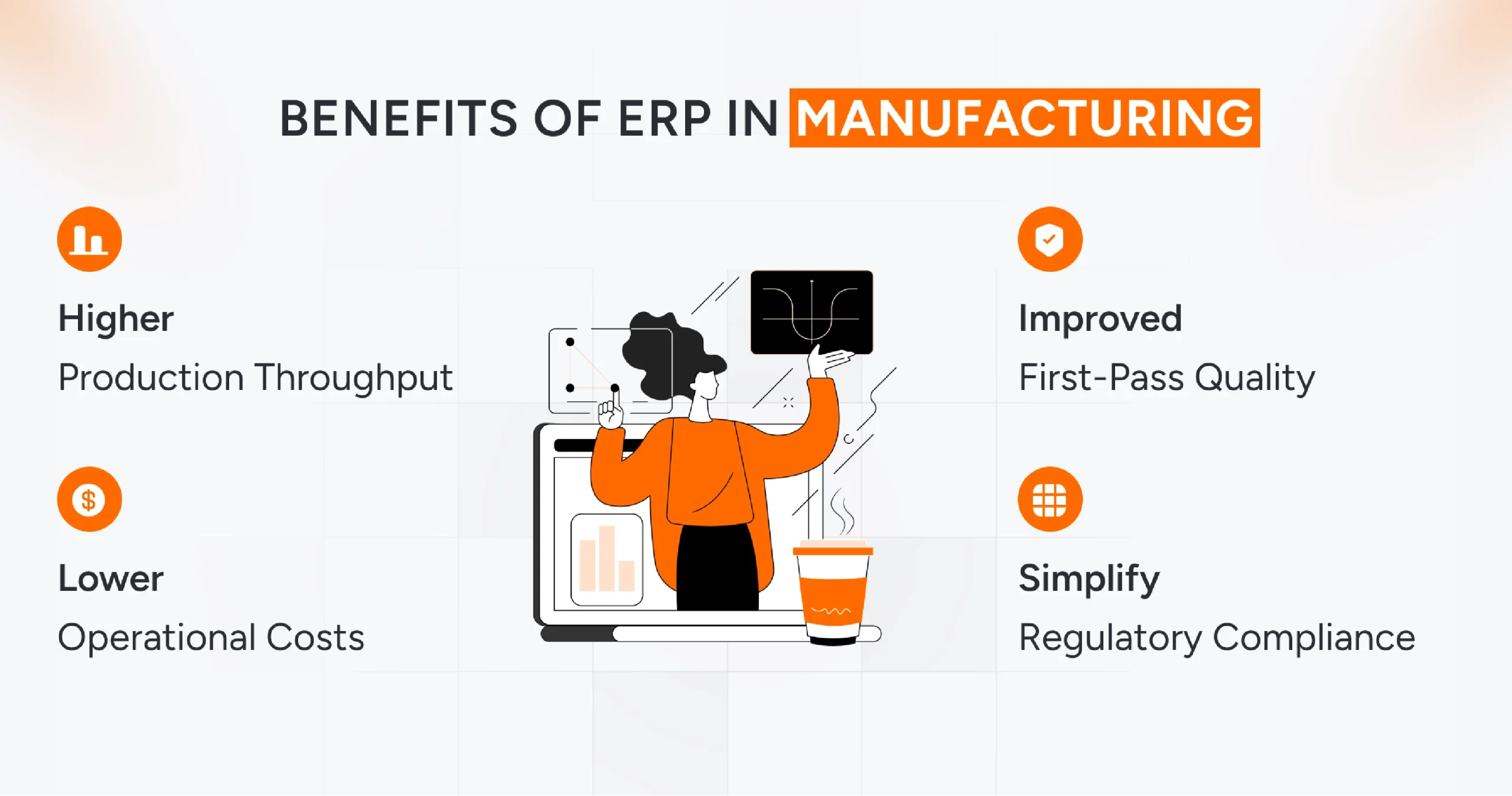
ERP systems transform manufacturing by streamlining operations from raw materials to delivery. They integrate processes like inventory tracking, production scheduling, and quality management into a single platform, enabling data-driven decisions that boost efficiency and profitability. Unlike fragmented tools, ERP provides end-to-end visibility, reducing errors and accelerating workflows across plants.
1. Reduced Inventory & Better Working Capital
Accurate real-time visibility into stock levels and optimized reorder points reduces safety stock by 20-30%, freeing up capital tied to excess inventory. Demand forecasting aligns procurement with actual needs, minimizing overstock and stockouts while supporting just-in-time practices.
2. Higher Throughput & Lower Lead Times
Advanced scheduling tools balance capacity and demand, cutting changeover times and bottlenecks for smoother production flows. Real-time monitoring identifies delays, shortening cycle times and improving on-time delivery rates.
3. Improved First-Pass Quality & Fewer Recalls
Integrated Quality Management Systems (QMS) with full traceability, speed, root-cause analysis, and defect prevention, enhancing product reliability. Alerts flag issues early, reducing rework and compliance risks in regulated sectors.
4. Lower Operational Costs
Automation eliminates manual data entry, repetitive tasks, and errors, thereby reducing labor and overhead costs. Optimized resource use across workflows boosts overall productivity without expanding headcount.
5. Faster Quote-to-Cash & Better Customer Service
Seamless integration of sales, inventory checks, and scheduling ensures accurate promised dates and quick order fulfillment. Customers receive reliable updates, strengthening satisfaction and repeat business.
6. Regulatory Compliance & Audit Readiness
Complete lot-level traceability and auditable records simplify compliance with ISO, FDA, and GMP requirements, with automated inspection reporting. This minimizes fines and downtime during audits.
7. Data-Driven Decisions
Unified dashboards deliver plant-floor metrics to executives, fueling continuous improvement through KPIs and predictive insights. Real-time analytics spot trends for proactive adjustments.
8. Scalability & Standardization
Standardized processes scale effortlessly across multiple sites, supporting growth with consistent workflows and easy rollouts.

No ERP vs. ERP: Why Integrated Wins for Manufacturers
Disconnected systems, such as spreadsheets, create silos, leading to inaccurate data and missed opportunities. ERP unifies everything, offering 360-degree visibility that disconnected tools can’t match. In complex manufacturing, ERP’s extensibility supports custom needs such as AI integrations or multi-site operations.
Now that you know why ERP for manufacturing makes sense, let’s understand how you can implement it.
ERP for Manufacturing: A Practical Approach Small Businesses Can Leverage!
Small and medium enterprises often face specific challenges when implementing ERP systems. From budget constraints to limited IT expertise and resistance to change, the hurdles can add up quickly. That’s where the right approach for enterprise software development makes a real difference. With a phased rollout and a clear strategic roadmap, ERP for manufacturing implementation becomes far more manageable, cost-effective, and aligned with long-term business goals.
So, what’s the roadmap?
Phase 0- Map Manufacturing Pain Points
The first phase, or phase zero, of your manufacturing ERP implementation is to map business needs, assess readiness, and build a project team.
Here is what this pre-implementation page includes,
Phase 1- Core ERP + Inventory: Finance + Real-time Stock + Basic MRP
This phase serves as the foundation for your ERP implementation. It includes deciding on criteria for evaluating the current tech stack and what will be needed to implement an ERP for manufacturing systems. You also need to map ERP inventory management requirements, core functions, and metrics.
Here are some of the core activities involved in this phase,
Phase 2- Shop-floor & Quality: Mobile Scanning, Simple Work Orders, QC Checks
This phase includes creating a business blueprint by collecting data across manufacturing processes and systems.
Phase 3- Advanced Scheduling & Integrations: MES Connectivity, Finite Scheduling, Ecommerce Integration
This phase involves complex configuration, integration, and comprehensive erp testing, occurring during the realization and testing stages.
Phase 4- Analytics & Continuous Improvement: Dashboards, Process KPIs, Predictive Maintenance Pilots
This final phase leverages the ERP’s centralized data to drive strategic decision-making and innovation, aligning with the post-implementation stage.
How to Choose the Right ERP for Manufacturing?
Selecting the right ERP demands a structured evaluation aligned with manufacturing realities, such as discrete assembly lines, process blending, or hybrid operations. Start by prioritizing solutions tailored to your production type, core operational needs, and long-term scalability.
This lightweight checklist streamlines vendor demos and RFPs, ensuring alignment with shop-floor demands and business growth.
Here are some of the selection criteria,
How Can AQe Digital Help You With An ERP Solution For Manufacturing?
A phased, manufacturing-first ERP roadmap helps teams move from planning to practical execution. By stabilizing core finance and inventory first, then adding shop-floor control, integrations, and analytics, manufacturers cut risk and reach value faster.
AQe Digital guides this end-to-end, from process audits and readiness checks to designing an ERP setup that fits your production model. The team handles implementation, MES/IoT/CRM integrations, data migration, testing, and hands-on training to ensure the system is adopted where it matters most: on the shop floor.
For plants that require more robust planning, AQe Digital’s Smart PPS delivers real-time production scheduling to reduce bottlenecks and shorten lead times. AQe also builds cloud analytics and data pipelines that connect ERP with machine, quality, and supply chain data, giving teams reliable forecasting and clear operating KPIs.
With 27+ years of experience in manufacturing and enterprise software, AQe Digital becomes a long-term partner in scaling your ERP as new sites and product lines come online.
If you’re preparing for an ERP upgrade or looking to fix gaps in your current system, connect with experts at AQe Digital. Our team can help you get there faster, with less disruption, and a roadmap built around your plant’s reality.